Template
Wedding Seating Chart Template (Free & Simple to Use)
Last updated: March 9, 2026
When couples first sit down to create their wedding seating plan, the hardest part is often the very beginning.
You open a blank page, look at your guest list, and suddenly realise you're trying to organise dozens - sometimes hundreds - of people into a room in a way that feels natural and comfortable.
A simple seating chart template can make that first step much easier. It gives you a starting structure so you're not staring at an empty page wondering where to begin.
Think of it as a gentle way to move from a messy guest list to your first real seating draft.
Start With a Simple Guest List
Before you think about tables, start by listing all of your confirmed guests.
Most couples find it helpful to keep this list simple. You only really need a few pieces of information at the start:
| Guest Name | Group | Notes |
|---|---|---|
| Sarah & John | Bride's friends | Couple |
| Aunt Mary | Family | Close to parents |
| Emma Walsh | Work friends | Vegetarian |
The "group" column is particularly helpful because it allows you to see which guests naturally belong together.
For example, you might notice clusters like:
- Family members
- College friends
- Work colleagues
- Childhood friends
Once those groups start to appear, the seating plan becomes much easier to organise.
Move From Groups to Tables
After your guest list is organised, you can begin thinking about tables.
At this stage, you don't need to assign exact seats yet. Simply decide which groups might sit together.
For example:
| Table | Guests |
|---|---|
| Table 1 | Immediate family |
| Table 2 | Bride's extended family |
| Table 3 | Groom's extended family |
| Table 4 | College friends |
| Table 5 | Work colleagues |
You'll probably move people around several times - and that's completely normal.
Most couples adjust their tables as RSVPs come in and relationships between guests become clearer.
Expect a Few Rearrangements
One thing many couples don't realise at first is that seating plans rarely stay the same from the first draft.
Guests may change their RSVP. Couples may be added. Table sizes might shift depending on your venue layout.
This is why it's helpful to treat your template as a working draft, not a final decision.
Give yourself permission to move people around until everything feels comfortable.
When Templates Start Getting Difficult
Spreadsheets and templates work well in the early stages, especially when you're still organising your guest list.
But once you begin moving guests between tables, it can become harder to visualise how the room actually looks.
Many couples find themselves scrolling up and down a spreadsheet trying to imagine where everyone is sitting.
That's usually the moment when a visual seating planner becomes much easier to work with.
Turning Your Template Into a Visual Seating Plan
Once your guest groups are roughly organised, you can move them into a visual seating layout where tables and guests are easier to see.
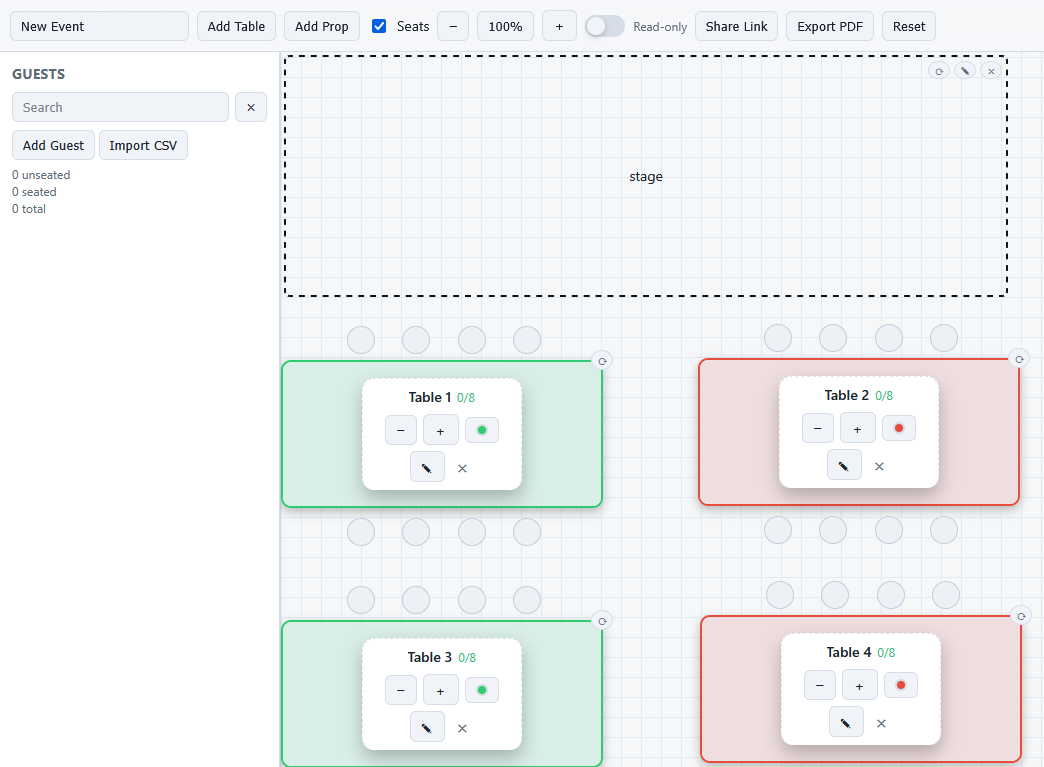
Instead of copying and pasting rows in a spreadsheet, you can simply move guests between tables until the room feels balanced.
If you'd like to try that approach, you can experiment with layouts using MySeatPlanner, which was designed to make seating plans easier to organise and adjust.
Remember: The First Draft Is the Hardest
The most difficult part of creating a wedding seating chart is simply getting started.
Once your guests are grouped and your first tables appear, the rest of the plan becomes much clearer.
Take your time, make adjustments when needed, and remember that your seating plan doesn't need to be perfect - it just needs to help your guests feel comfortable and enjoy the celebration.